Merging Garmin FIT files with Polar heart-rate data
Your watch's wrist HR is convenient but noisy. A chest or arm strap is accurate but usually can't pair live with every watch. Here's how to get both.
The problem
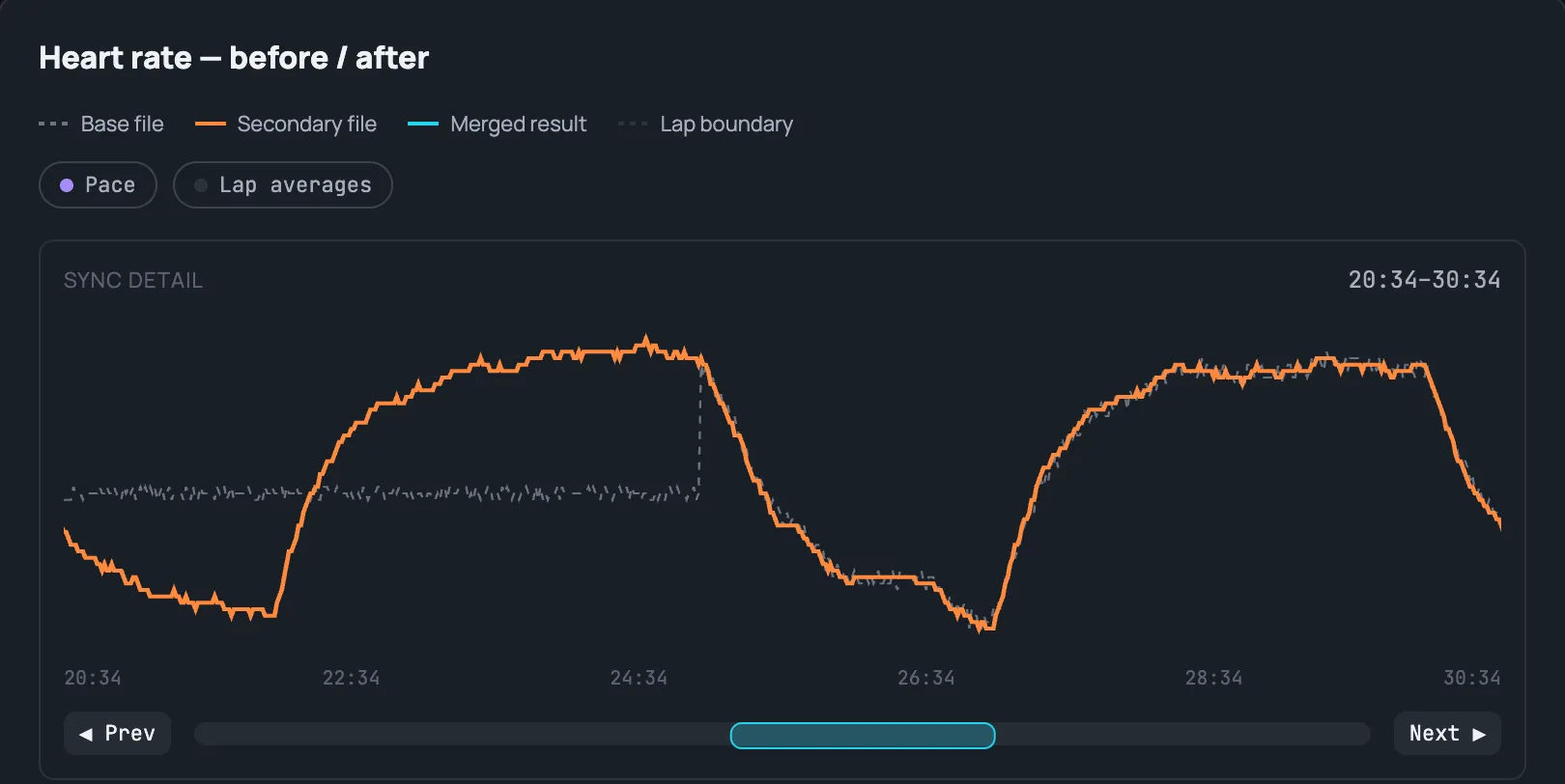
Optical wrist heart-rate sensors struggle with fast pace changes, cold weather, and loose straps — exactly the moments you care about most in a hard interval or a race. A chest strap or an arm band like the Polar Verity Sense is far more accurate, but it doesn't always talk directly to your watch: maybe it's paired to a phone app instead, maybe your watch only has one ANT+/BLE heart-rate slot already taken by something else, or maybe you simply forgot to pair it before the workout started.
Pool swimming is the case where a live pairing isn't just inconvenient, it's physically impossible: ANT+ and Bluetooth radio signals don't propagate through water, so a Polar Verity Sense worn on your temple under a swim cap can't talk to a watch on your wrist no matter how you configure either device. The sensor still records its own file locally — you just have to merge it in afterward instead of seeing live HR on your watch during the swim.
The result is two separate recordings of the same workout: your watch's FIT file with GPS, pace, and power, and a second file — often a TCX export from the strap's own app — with just accurate heart rate.
What The Split does
Upload both files. The tool aligns them by timestamp using nearest-neighbor matching, then replaces every heart-rate sample in your primary (FIT) file with the corresponding sample from the secondary (TCX) file — while leaving every other field (GPS, pace, power, cadence, laps) untouched.
Clocks drift, so the two recordings rarely start at exactly the same instant. The Merge screen shows a live sync-offset control with a zoomed-in comparison strip, and can auto-detect the right offset by correlating the two heart-rate curves — you can also nudge it by hand if the auto-detected value looks off.
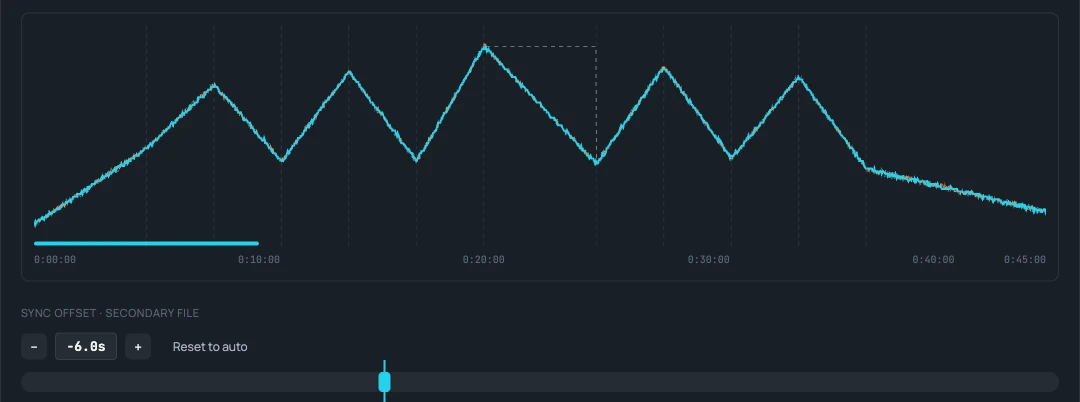
If the strap's battery died partway through, or you started it a few minutes late, that's fine: outside the strap's own time range (or wherever its reading drops below a sane 40 bpm), the tool keeps your watch's original heart rate instead of dropping the field. Lap and session averages are recalculated from the merged data afterward, so your splits reflect the corrected heart rate too.
When this matters
Races and hard workouts, mostly — anywhere a wrist sensor's lag or noise would otherwise misrepresent your effort in the training log you actually look back on. It also matters for pool swimming, where wrist HR is notoriously unreliable underwater but a chest strap (or the watch's own record against a separate strap export) can fill the gap.